
The Complete Pikobuy Spreadsheet Guide
Everything in one place — what a Pikobuy Spreadsheet is, what Pikobuy is, and exactly how to use them together to buy from China with confidence.
What is a Pikobuy Spreadsheet?
A Pikobuy Spreadsheet is a curated list of product links — sorted by category, ready to open inside the agent. It is the shortcut from endless scrolling to a parcel you actually want.
The spreadsheet, explained
At its simplest, a Pikobuy Spreadsheet is a shared document of hand-picked links. Instead of searching a marketplace blind, you browse a list someone has already filtered: shoes here, hoodies there, bags in their own section — each row pointing to a specific listing with notes on price, sizing or quality. Copy a link, drop it into the agent, and you are most of the way to checkout.
This site is an independent Pikobuy Spreadsheet hub. We do not sell anything and we do not process orders — we organise discovery, write the shopping guidance, and hand off cleanly to the live spreadsheet when you are ready to buy.
Why choose Pikobuyspreadsheet
Curated, not cluttered
Every category is organised around what shoppers actually search for, so you spend less time scrolling and more time deciding.
Guidance at every step
Plain-English help on sizing, QC photos, consolidation and shipping lines — written for first-time agent users.
Independent & honest
We are not Pikobuy and we do not take payments. That means we can point you to the right tool for the job without a sales pitch.
One clean path to buy
Category intros lead to the live spreadsheet and to focused product searches — no dead ends, no specific-item upsells.
What it is not
A Pikobuy Spreadsheet is not a store and it is not a payment processor. You never pay this site. When you are ready, discovery hands off to the live spreadsheet, which opens the matching listings so the Pikobuy agent can do the buying, checking and shipping.
What is Pikobuy?
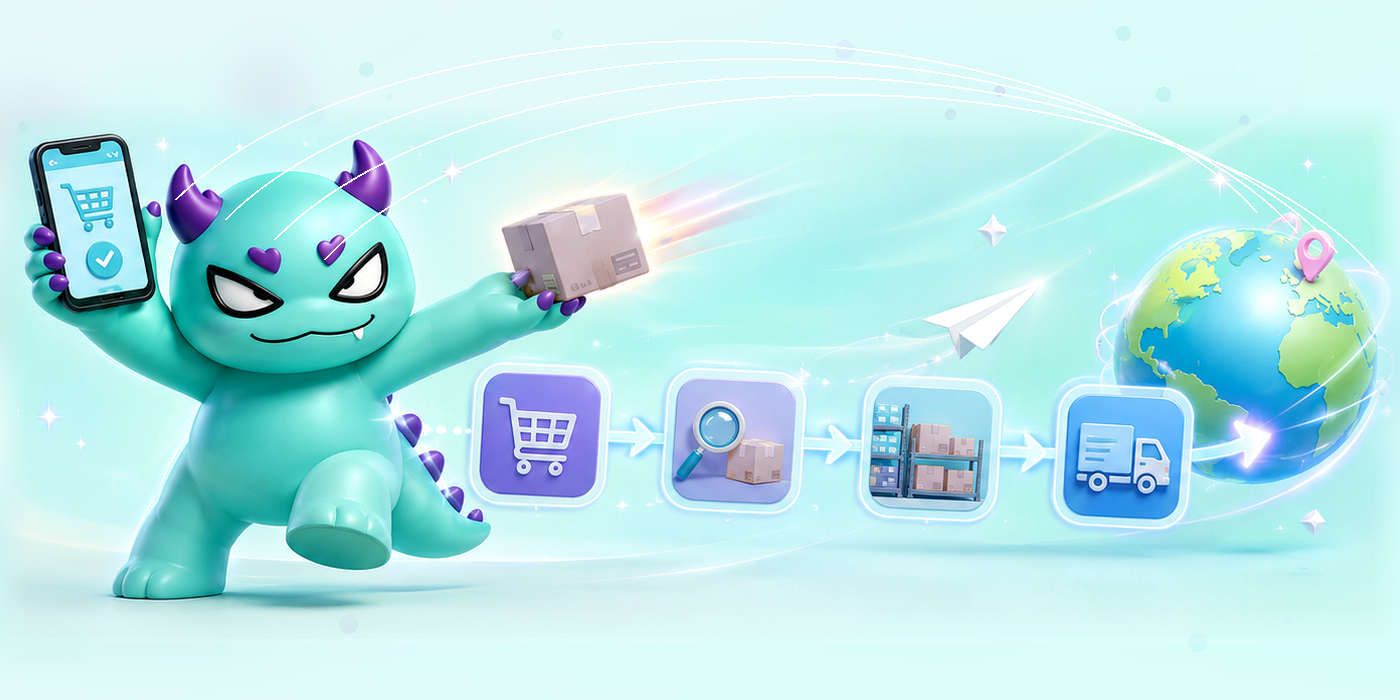
Pikobuy is a reverse shopping platform — a buying agent that lets anyone, anywhere, shop China’s biggest marketplaces and have it all consolidated, checked and shipped to the door.
If you have ever found a product on Taobao or Weidian and hit a wall at checkout, that wall is exactly what an agent removes. Pikobuy places the order for you, receives it at a warehouse in China, inspects it, and then ships it internationally — and you pay in your own currency the whole way through.
What a shopping agent actually does
Chinese marketplaces are built for domestic buyers: local payment, local addresses, Mandarin listings. A shopping agent bridges that gap. You hand over a product link; the agent handles purchasing, storage, quality control and the international leg. Pikobuy describes itself as your ultimate Chinese shopping agent, and the workflow follows the same three beats every agent does — order, warehouse, ship.
- 1
Place an order
Submit a product link from Taobao, 1688, Weidian or Yupoo and pay the item cost up front.
- 2
Warehouse & QC
Pikobuy buys it, receives it at the China warehouse, and inspects it with quality-control photos.
- 3
Ship worldwide
Consolidate multiple items into one parcel, choose a shipping line, and track it to your door.
Which platforms can you buy from?
Through one agent account you reach the marketplaces shoppers care about most — Taobao and Tmall for the broadest catalogue, 1688 for wholesale pricing, and Weidian and Yupoo for boutique and seller-direct finds. A Pikobuy Spreadsheet simply curates links from across those platforms into one tidy, category-sorted list.
Why pair Pikobuy with a spreadsheet?
An agent solves how to buy. A spreadsheet solves what to buy. Discovery is the hard part — sifting thousands of listings for the ones worth your money. That is the job of this independent Pikobuy Spreadsheet hub: organised categories, shopping guidance and clean links you can open straight into the agent.
How to use a Pikobuy Spreadsheet
New to agent shopping? This is the complete walkthrough — from opening a Pikobuy Spreadsheet to tracking the parcel at your door.

Find or open a spreadsheet
Start from a category on this hub or open the live Pikobuy Spreadsheet. Each row is a curated listing on Taobao, Tmall, 1688, Weidian or Yupoo.

Pick your item & read the notes
Check the sizing notes, batch labels and any QC comments. If you cannot find what you want, Pikobuy’s customer service can help track it down.

Choose size / colour & add to cart
Open the listing in the agent, confirm the size and colour, and add it to your Pikobuy cart.

First payment
Review your cart and complete the first payment — this covers the item cost so the Pikobuy team can purchase it for you.
After your first payment
- Submit your address. Once the item reaches the warehouse and passes QC, submit your shipping address so a quote can be prepared.
- Second payment. After packing, you receive the parcel weight and shipping cost. Pay the international freight for the line you prefer.
- Track to your door. Your parcel ships and a tracking number follows, usually within a few days. Then it is just a matter of waiting for the delivery.